

System Action
System Action controls the device rather than the app on screen: press Back, open another app, copy text, vibrate, stop the macro, and more.
Pick a card; if it needs details, a second screen asks for them.
Macro control
- Stop, ends the macro on the spot.
- Pause, pauses it until it is resumed.
Device navigation
None of these take any settings. They are the hardware and system buttons.
- Back, the back button.
- Home, the home button.
- Recents, the app switcher.
- Notifications, pulls down the tray.
- Quick Settings, opens the quick settings panel.
App & screen
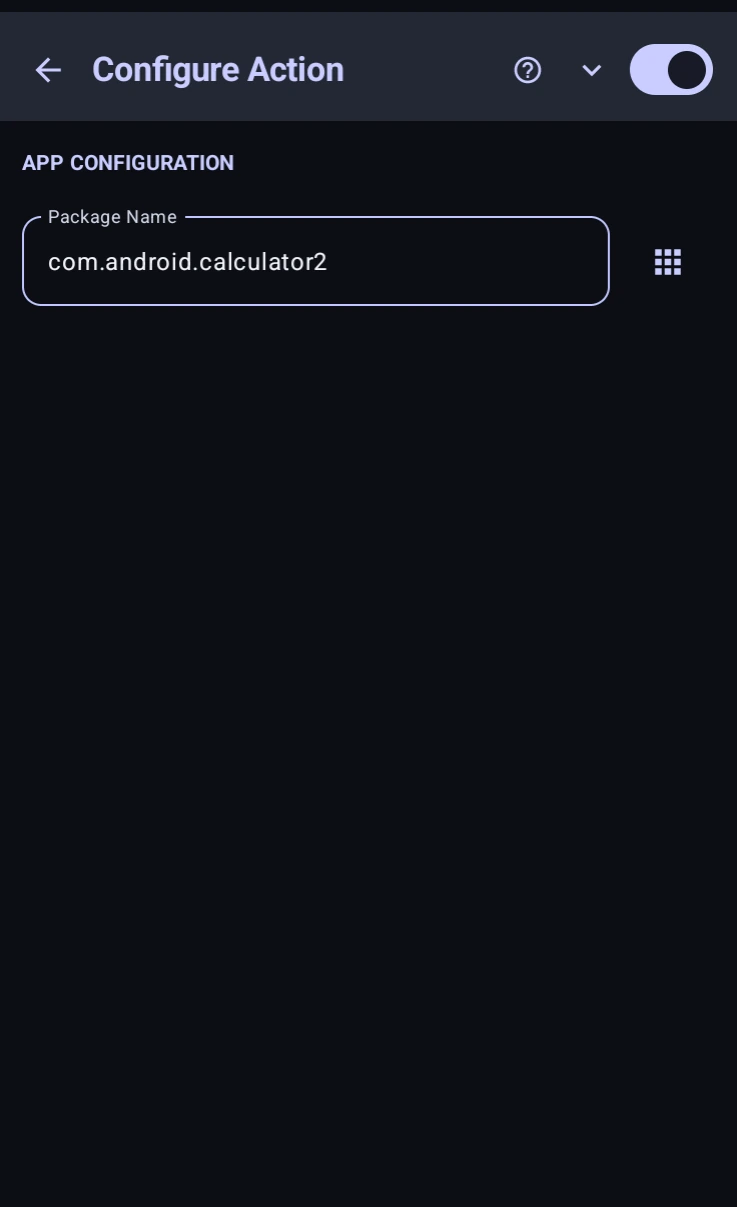
- Open App, launches an app. Fill in Package Name, or press the grid button beside it to pick from your installed apps.
- Open URL, opens a link in the browser. Takes a Website URL, including the
https://. - Lock Screen, locks the device.
- Screenshot, takes a system screenshot.
Hardware & device
- Volume, Action chooses Raise Volume or Lower Volume, and Number of steps sets how many presses' worth, from 1 to 15.
- Mute, Action chooses Toggle Mute, Mute, or Unmute.
- Vibrate, a haptic buzz. Set Duration (ms) and Amplitude Level for how long and how hard.
- Battery, reads the current battery percentage into a variable. Name it in Variable Name to Store Level, then use it like any other, e.g. stop the macro below 20%.
Clipboard
- Copy, puts text on the clipboard. Text to Copy accepts
%variables%, so you can copy something the macro just read. - Paste, pastes the clipboard into the focused field.
Logging & alerts
- Play Sound, an audio alert. Choose a Sound Template from the built-in tones (beep, double beep, error, dial tone and friends) and press Test Sound to hear it.
- Log Info and Log Error, write a Message (which can include
%variables%) into without showing anything on screen.
Log Error also has Abort Macro on Error, which stops the run and marks the entry (Aborting), so the log shows why the run ended.
Code Equivalent
Sys.back();
Sys.home();
App.open("com.android.calculator2");
Clipboard.setText("hello");
console.log("Battery: " + Sys.getBatteryLevel());
See the , , and classes for the scripted versions.