

Plans & devices
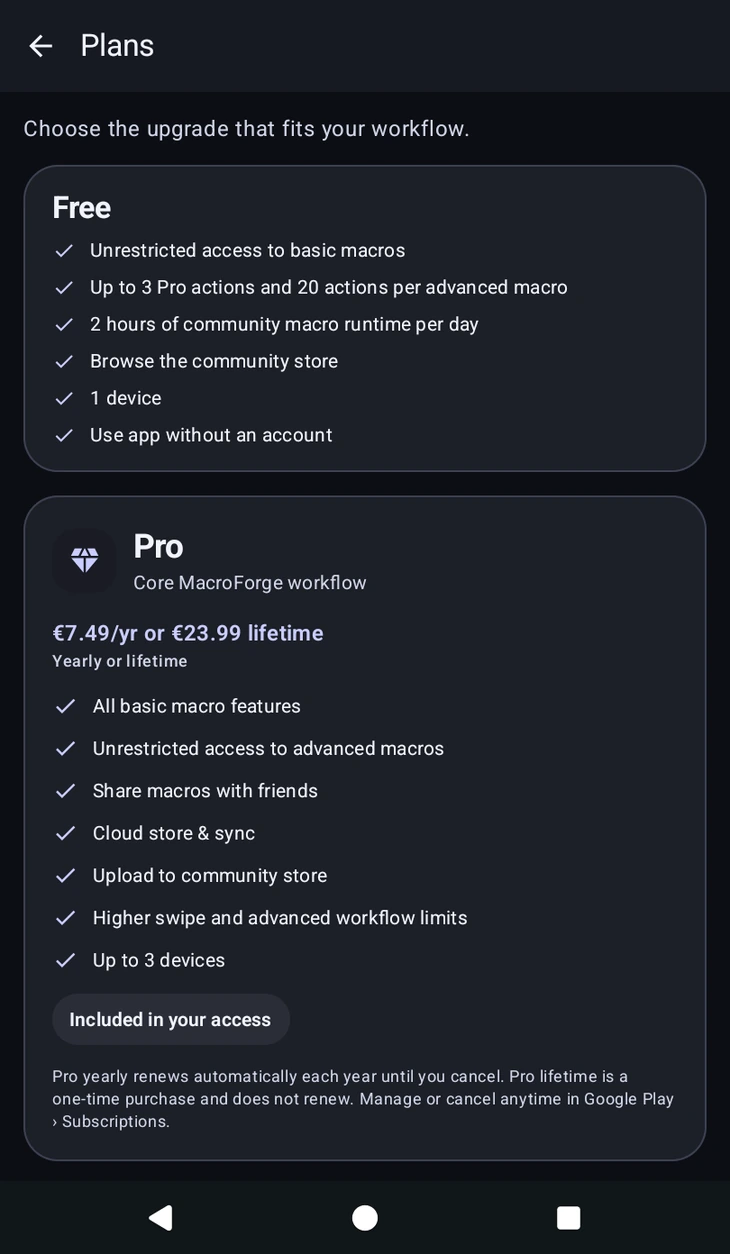
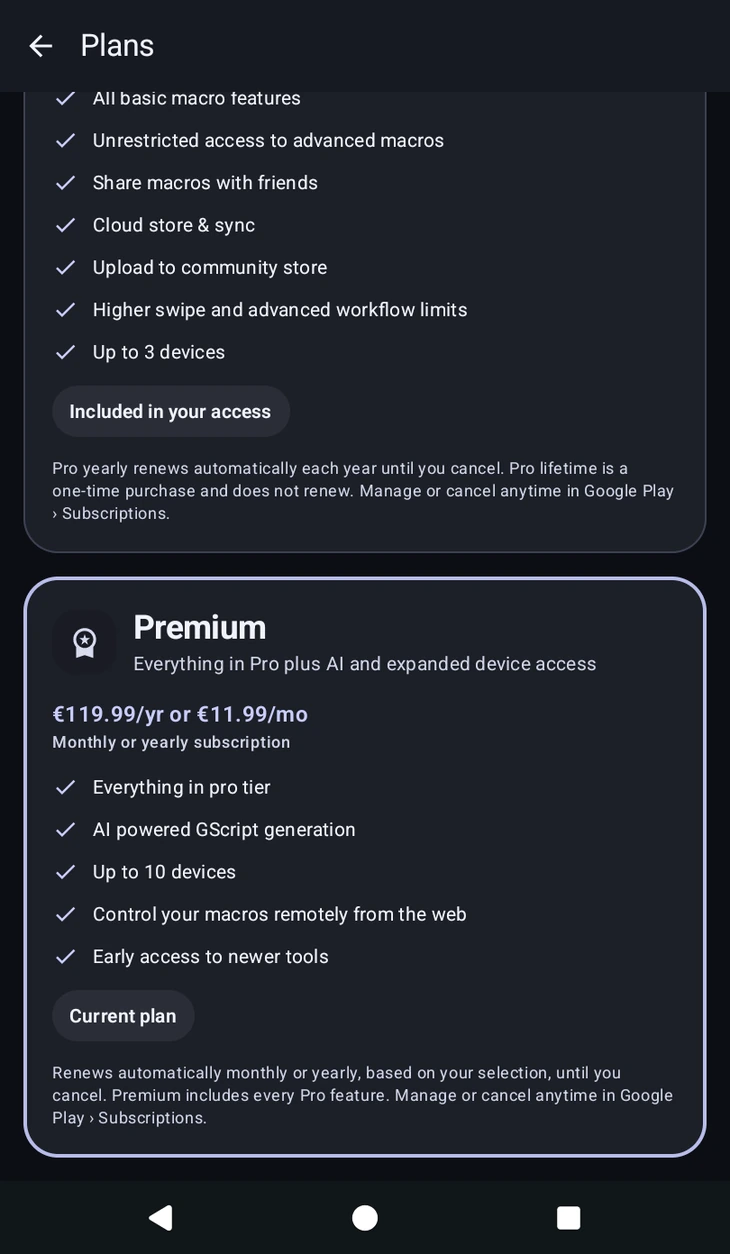
The  button on the home screen opens Plans. There are three levels: Free, Pro and Premium. Plans shows Pro and Premium, switched with the tabs at the top, and marks the one you are on as Current plan. Pick how to pay from the options under the features, then confirm with the button at the bottom.
Free
No account needed. You can keep up to 3 macros, with full access to and restricted access to advanced macros. Macros beyond the first three in your list are locked until you upgrade or delete some.
Restricted means the advanced editor is yours to use, with access to 3 pro actions and up to 20 actions total per macro. The 20 counts everything that runs, including actions nested inside a group or a conditional and the ones in your functions. The pro actions you get 3 of are , Color Detection, , Text Finder, , , , and the image picker and Record rows in the settings builder.
Two things sit outside that allowance and are not available on Free at all: , and an with Advanced Mode switched on, which is Code by another name. is not on Free either, and it is the one action Pro does not unlock, see below.
On a free account, you can also run community macros for up to 2 hours per day. When that runs out you can watch an optional ad for 2 more hours, up to four times a day, so 10 hours a day in total. The counter resets daily, and the dialog that tells you the limit is reached is also where you watch the ad.
Free accounts see the occasional sponsored card while browsing . Pro and above removes it.
Pro
Sold monthly, yearly, or as a one-time lifetime purchase. It includes:
- Unlimited macros. ", "
- Unrestricted access to advanced macros: no limit on total or pro actions, and and Advanced Mode groups unlocked. is the exception, it needs Premium.
- Unlimited daily runtime for community macros, so no daily cap and no ads to watch for more of it.
- No sponsored cards in .
- Sharing macros with friends through .
- Cloud store & sync.
- Uploading to the .
- Up to 3 devices.
Premium
A monthly or yearly subscription that includes everything in Pro, plus:
- AI powered GScript generation, and the AI action tools in the editor.
- , which recognises a whole class of things rather than one exact picture. It is experimental and may change between updates.
- Starting and stopping macros on your devices from the .
- Up to 10 devices.
- Early access to newer tools.
You can subscribe directly from Free or upgrade an existing Pro subscription. If Premium ends, you return to Pro only when you still own a separate Pro entitlement; otherwise you return to Free.
Free trial
If you are eligible, MacroForge offers a free trial of Pro. It is a Google Play free trial attached to the Pro yearly plan, so for its length you get everything in the Pro list above.
It starts from the banner at the top of your macro list, and only from there. The buttons on locked features open Plans, which is for buying.
The banner shows how long the trial lasts. It converts into a paid Pro yearly subscription when it ends unless you cancel first in Google Play › Subscriptions. If you cancel, you keep access until the trial ends, then return to Free.
Billing and devices
Pro and Premium subscriptions renew until you cancel; Pro lifetime is a one-time purchase and never renews. If you buy lifetime while a Pro subscription is active, cancel the subscription so it stops charging you. All of it is managed in Google Play › Subscriptions, cancelling included. If a purchase doesn't appear, Restore Purchases in re-checks it.
Your device limit is a count of active devices, not installs. The  account menu lists them under Active Devices, marks the one you are holding as Current device, and lets you sign others out from Manage Devices. Do that when you switch phones.