
Permissions & first-run setup
The first time you open MacroForge it walks you through the permissions it needs. There are three, they are asked once, and it is worth knowing what each one does, both because you are handing over real capability and because the last one is the difference between a macro that runs all night and one that stops when you put the phone down.
If you skipped the wizard or want to see it again, Reset Setup Wizard in shows it on next launch. The current state of each permission is also listed there under Permissions, with a way back to the system screen if one gets revoked.
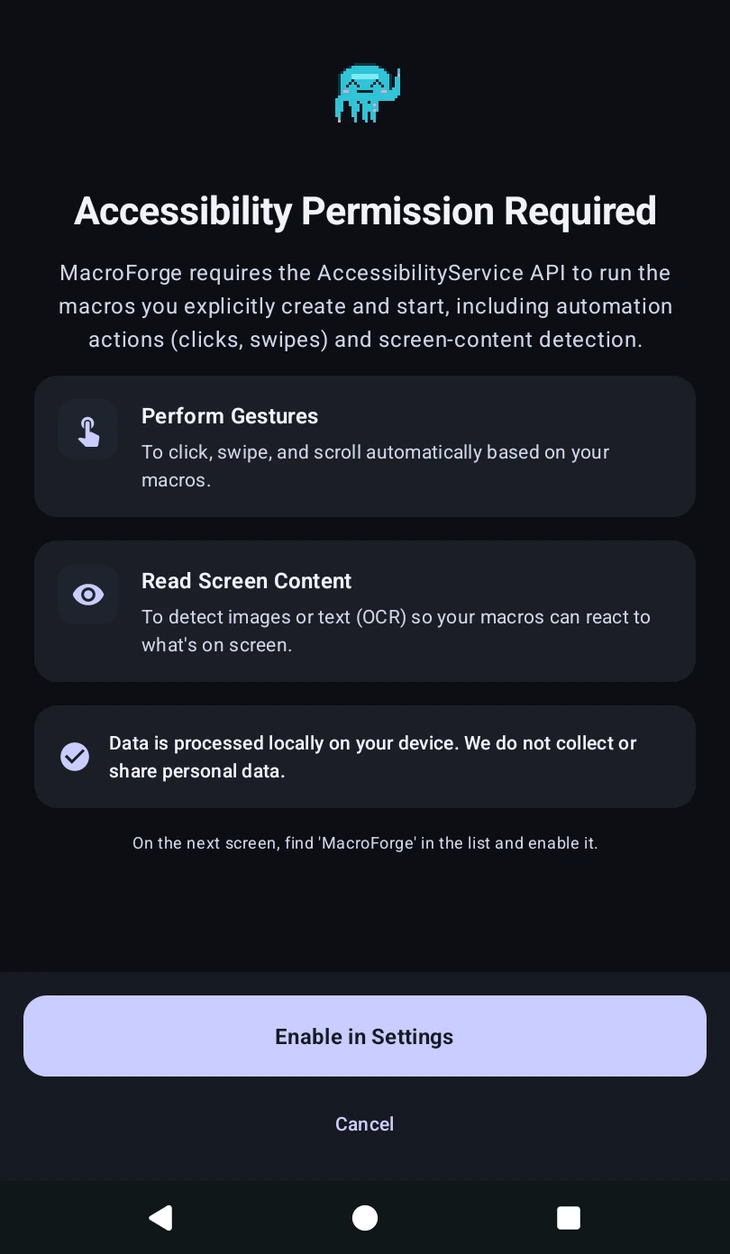
Accessibility Service
The one that actually runs your macros. MacroForge uses Android's AccessibilityService API for two things:
- Perform gestures, to click, swipe and scroll on your behalf.
- Read screen content, so , and can react to what is on screen.
It only ever acts on the macros you create and start yourself, and what it reads is processed on your device. We do not collect or share it.
Android sometimes turns accessibility services off on its own, usually after an update or a force-stop. If macros suddenly do nothing at all, this is the first thing to check.
Display Over Other Apps
Lets MacroForge draw on top of whatever you are automating. Without it there is no control panel, no editor overlay, no and no stop button, so the app is not usable without it.
Ignore Battery Optimization
Marked optional in the wizard, and the one to actually pay attention to.
Android aggressively suspends apps it thinks are idle, and a macro that is patiently waiting on a detection looks exactly like an idle app. With battery optimisation left on, the system is free to kill a long-running macro partway through, and from your side it simply stops for no visible reason. Disable Optimization tells Android to leave MacroForge alone.
If you are running short macros while watching the screen, you will probably never notice. If you are running something overnight, or anything that waits a long time between steps, grant it. It is the single most common cause of a macro that "just stopped" with nothing in the to explain it.
Some manufacturers, Xiaomi, Samsung, Oppo, Transsion and others, add their own power manager on top of Android's. Disabling optimisation here does not always reach those, so if macros still die on a long run, look for an extra "protected apps" or "auto-start" list in your system settings and add MacroForge there too.
Screen capture
Not part of the wizard, because it depends on a choice you can change later. If Screen Capture Engine in is set to Media Projection, Android shows a screen-share prompt each time capture starts. Set it to Accessibility and there are no prompts at all, at the cost of speed. Both are covered on the settings page.